Storage & Setup Guide
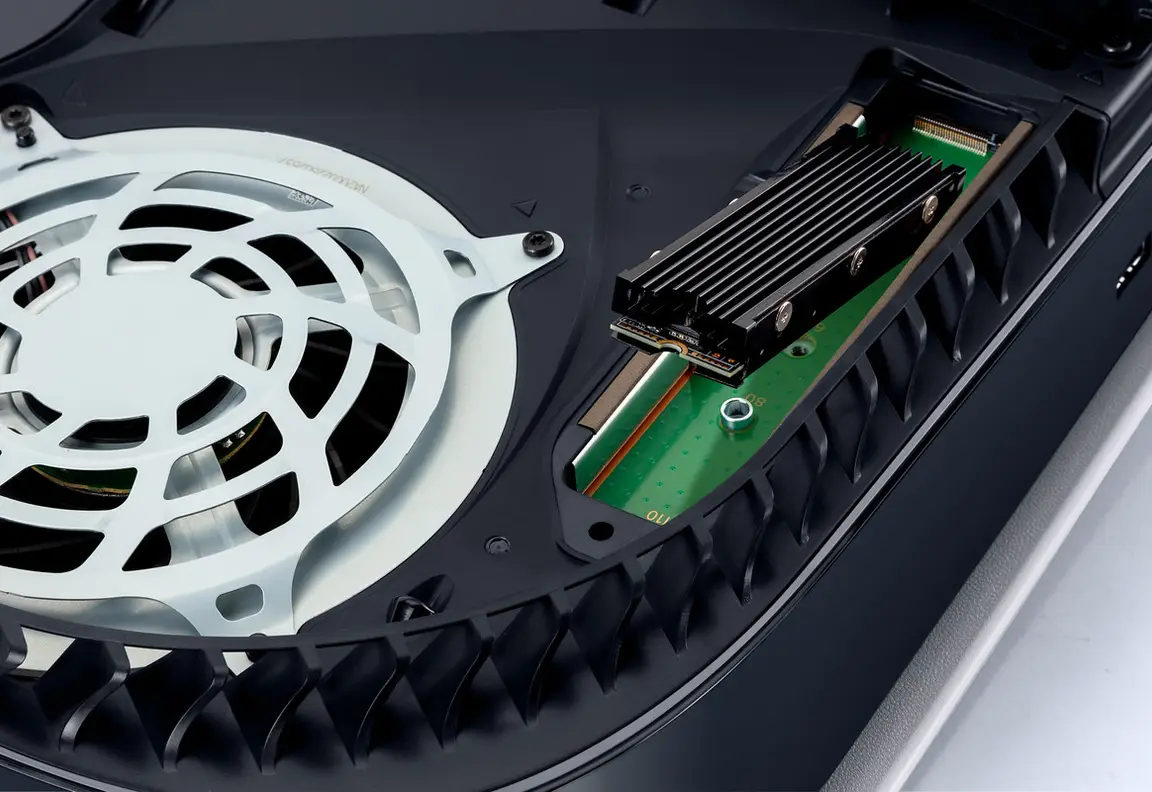
Make room for a 212 GB install and understand your PS5 and Xbox expansion options.
Read the guide →Preloading means downloading Grand Theft Auto VI before launch day, so the game is already on your console when it unlocks on Thursday, November 19, 2026. This guide gives you the exact opening times for PlayStation 5 and Xbox Series X|S, the download size to plan for, and tick-off steps for both consoles.
In a hurry? Read the quick version ↓GTA VI launches Thursday, November 19, 2026 on PS5 and Xbox Series X|S. Preload opens on PS5 at midnight local time on Tuesday, November 10, 2026. On Xbox it opens at midnight GMT on November 10, which is 6:00 PM Central on Monday, November 9. The download can be up to 212 GB, so clear about 250 GB first.
That is the whole job. The full guide below explains where each setting lives, how to check progress, and what to do if the download will not start.
A preload is not early access. The files sit on your console, locked, until launch. What preload buys you is time. A download of up to 212 GB can take hours, and launch day is the worst day to discover you are short on space or that a download stalled overnight.
Work through this guide before your window opens and launch day becomes simple. The steps are tickable, and your ticks are saved on this device, so you can pick up exactly where you left off.

On PlayStation 5, preload opens at midnight local time on Tuesday, November 10, 2026. Local means your own time zone, so there is no conversion to work out. Digital preorders appear in your Library ready to download. Boxed copies contain a download code, not a disc, and go on sale November 12. Redeem the code, then follow the same steps.
Steps done:
Go to Settings, then Storage, and look at the free space on the drive where the game will install. You want about 250 GB free. The download itself can be up to 212 GB, and consoles need working room while a game unpacks and installs, so do not cut it fine.
From the home screen, open Game Library, find Grand Theft Auto VI in your purchased games, and open its page. If you have not preordered yet, open the PlayStation Store page for the game instead and complete the preorder first.
Choose Download once the preload window has opened. If the button still shows a countdown or a release date before midnight, you are simply early. Wait for your local midnight and try again rather than reinstalling anything.
Go to Settings, then Saved Data and Game/App Settings, then Automatic Updates, and make sure automatic downloads are on. In Settings, then System, then Power Saving, then Features Available in Rest Mode, keep the option to stay connected to the internet switched on.
When you finish for the day, put the PS5 into Rest Mode instead of turning it fully off. Rest Mode is the low-power state that lets downloads continue. A wired internet connection, if you can use one, is faster and steadier than Wi-Fi for a download this size.
Press the PS button, open Downloads/Uploads, and confirm the download shows as complete with nothing paused or queued ahead of it. Then leave the game alone. It will unlock at launch.
On Xbox, preload opens at midnight GMT on Tuesday, November 10, 2026. GMT does not move for daylight saving, so the local time depends on where you live. In Central time that moment is 6:00 PM on Monday, November 9. If you live elsewhere, work out your offset from GMT once and write it down. You can also queue a pre-install from the Xbox app on your phone.
Steps done:
Open My games & apps, then look at the free space shown for the drive you play from. Aim for about 250 GB free. If you are short, our Storage & Setup Guide explains your expansion options in plain words.
Open My games & apps, then Full library, and find Grand Theft Auto VI. If you preordered digitally it should be listed ready to pre-install. Boxed buyers redeem the download code from the box first. Boxed copies go on sale November 12.
Choose Pre-install or Install after midnight GMT on November 10. That is 6:00 PM Central on Monday, November 9. Starting a few minutes early and seeing no button yet is normal. Nothing is broken.
Go to Settings, then General, then Power options, and use the sleep power option rather than full shutdown. In Settings, then Devices & connections, then Remote features, you can also allow downloads from the Xbox app so you can start or check the install from your phone.
Open My games & apps, then Manage, then Queue. Confirm GTA VI is downloading, note the remaining size, and make sure nothing else large is queued in front of it. Pause other downloads if your connection is slow.
When the queue is empty, find the game in your library and confirm it shows as installed and ready. Do not try to launch it before November 19. A locked game before launch is exactly what a successful preload looks like.
Your ticks on this page are stored only in this browser, on this device. No account exists and nothing is sent anywhere. If you switch phones or clear your browser data, your ticks reset, but your console download is unaffected.
The confirmed figure is up to 212 GB. That number explains almost every preload problem. It is larger than the free space many consoles have, so space is the first thing to check. Downloads also need temporary working room while files are put together, which is why this site advises clearing about 250 GB. That extra room is a buffer, not a second copy of the game.
Time matters too. On a fast wired connection 212 GB is an evening. On a slow connection it can run past a day. Starting when the window opens gives you roughly nine days before launch. Starting on November 18 gives you no slack. If you need room, move or delete large game installs, which can always be downloaded again. Do not delete save data. Saves are small and precious.
Check your download about an hour after you start it, and again the next day. On PS5, press the PS button and open Downloads/Uploads. On Xbox, open My games & apps, then Manage, then Queue. A healthy download shows a steadily growing number. One stuck for hours, paused, or showing an error needs attention while you still have days to fix it.
Rest mode and sleep mode catch people out. Both consoles can download while they appear off, but only with the right power options set. On PS5 that means Rest Mode with the stay-connected option on. On Xbox it means the sleep power option instead of full shutdown. If the console is unplugged or fully off, no download happens. Tell everyone in the house it needs to stay plugged in and asleep until the download finishes.
Do not rebuild databases, reset consoles, or delete a nearly finished download on launch morning because a progress bar looks slow. Most slow downloads finish if left alone on a wired connection. Check space, check the queue, and give it time before you take any step you cannot undo.
Work through the boring causes first. Is the window actually open for your platform and time zone? Have you completed the preorder, or redeemed the boxed code? Is there about 250 GB free on the correct drive? Is the game trying to install to a USB drive, which can store current-gen games but cannot play them?
If all of that checks out, restart the console once and try again from the library page rather than the store page. If your connection is the problem, use a wired cable for the preload even if you normally play on Wi-Fi. And remember what success looks like: a downloaded game that will not open until Thursday, November 19, 2026 is not a fault. That lock is the preload working as designed.
No. Preload only downloads the files early. The game stays locked until it launches on Thursday, November 19, 2026.
Xbox uses midnight GMT on November 10 as a single worldwide moment. In Central time that moment falls at 6:00 PM on Monday, November 9. PS5 instead uses midnight in your own local time zone.
The confirmed size is up to 212 GB. Clear about 250 GB so the console has working room during the download and install. See the Storage & Setup Guide if you need to make room.
Boxed copies go on sale November 12, 2026 and contain a download code with no disc. Redeem the code, then follow the same steps on this page for your console.
No PC version has been announced. GTA VI launches on PlayStation 5 and Xbox Series X|S only, so this guide covers those two consoles.
Make room for a 212 GB install and understand your PS5 and Xbox expansion options.
Read the guide →
Standard and Ultimate compared, including what Rockstar has not confirmed yet.
Read the guide →
Everything confirmed about launch day, the setting, and the places of Leonida.
Read the guide →